

Using APIContext to provide easy to track calls. We already provide logs of all API calls that include a detailed time stamp so you can find a specific item. Here’s another way to track calls through your entire stack: add a header to each test using the unique result or workflow result ID. In the API Call edit view, add a Header. Set the key name to something, such as X-APImetrics-ID and set the value to %%RESULT_ID%%. If you’re running the call as part of Workflow, you could also add a Header with %%TEST_RUN_RESULT_ID%% which would be the same value for each call made in that Workflow. 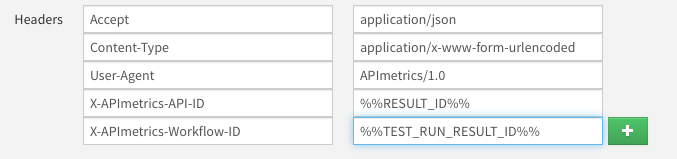

See what your APIs look like from the outside.
APIContext gives engineering, product, and customer success teams a shared view of API reliability, conformance, and customer impact.
Start free